What Is IPTV and How Does It Work? (2026 Explainer)
IPTV is everywhere, but the term confuses a lot of people. This short explainer covers what IPTV actually is, how it works, and the key difference between an IPTV player and an IPTV subscription — so you know exactly what you need.
What does IPTV mean?
IPTV stands for Internet Protocol Television. Instead of receiving TV through an antenna, satellite dish or cable, IPTV delivers video over the internet. That means you can watch on almost any device — Smart TV, phone, computer or set-top box — as long as you have a connection.
How does IPTV work?
An IPTV setup has three parts:
- The content — the channels, movies and series, delivered as a stream by a provider.
- The playlist — a file or login (an M3U URL or Xtream Codes account) that tells your app where the content is.
- The player — the app that reads your playlist and plays the streams on your screen.
You load your playlist into a player, and the player organizes everything into channels, VOD, series and a TV guide (EPG).
Player vs. subscription — what's the difference?
This is the part most people get wrong:
- An IPTV subscription is the *content* — you get it from a provider, usually as an M3U URL or Xtream Codes login.
- An IPTV player is the *app* — it plays the content you already have. It does not include channels.
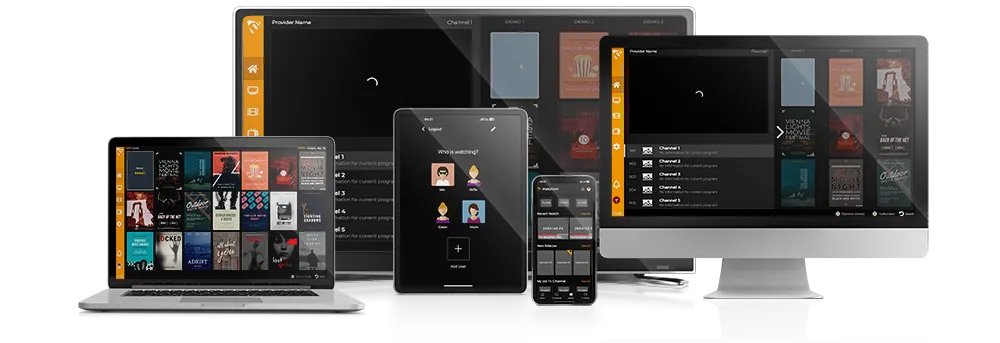
MaxPlayer is a player. You bring your own IPTV playlist, and MaxPlayer plays it beautifully across every device. It does not sell or provide channels, streams or subscriptions.
M3U vs. Xtream Codes
Providers usually give you one of two formats:
- M3U — a single playlist link (a URL ending in .m3u or .m3u8).
- Xtream Codes — a server URL plus a username and password, which usually gives a richer experience with better EPG, categories and VOD metadata.
If your provider offers both, Xtream Codes is usually the better choice. You can add either one to MaxPlayer in seconds.
What you need to get started
- An IPTV playlist from your provider (M3U or Xtream Codes).
- A good IPTV player like MaxPlayer, installed on your device.
- An internet connection — around 10 Mbps for HD, 25 Mbps+ for 4K.
Ready to try it?
Start your 7-day free trial, install MaxPlayer on any device, add your M3U or Xtream Codes playlist, and start watching. New here? Our setup guides walk you through every platform step by step.