Πώς να ρυθμίσετε το EPG (Οδηγός TV) για IPTV στο MaxPlayer
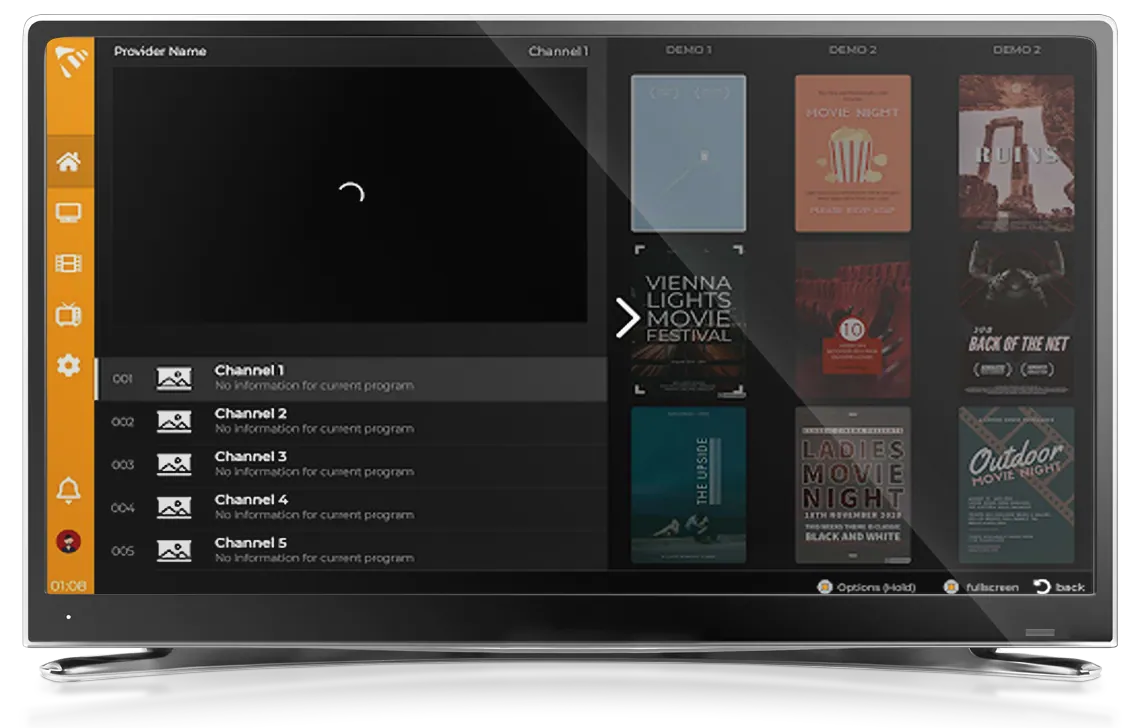
Ένα λειτουργικό EPG (Electronic Program Guide, ηλεκτρονικός οδηγός προγράμματος) μετατρέπει μια απλή λίστα καναλιών σε μια πραγματική τηλεοπτική εμπειρία — βλέπετε τι παίζει τώρα, τι ακολουθεί και ολόκληρο το πρόγραμμα. Αυτός ο οδηγός εξηγεί πώς λειτουργεί το EPG στο MaxPlayer, γιατί μερικές φορές εμφανίζεται κενό και πώς να το διορθώσετε.
Το MaxPlayer είναι ένα πρόγραμμα αναπαραγωγής IPTV — αναπαράγει το δικό σας περιεχόμενο και εμφανίζει το EPG που παρέχει ο πάροχός σας. Δεν δημιουργεί ούτε πουλάει κανάλια ή δεδομένα οδηγού.
Από πού προέρχεται το EPG;
Το EPG παρέχεται από τον πάροχό σας, όχι από το πρόγραμμα αναπαραγωγής. Όταν προσθέτετε τη λίστα σας, το MaxPlayer διαβάζει τα δεδομένα οδηγού που είναι συνημμένα σε αυτήν και τα παρουσιάζει ως πρόγραμμα:
- Με μια λίστα M3U, ο οδηγός συνήθως προέρχεται από μια ξεχωριστή διεύθυνση URL XMLTV/EPG που περιλαμβάνει ο πάροχός σας.
- Με Xtream Codes, το EPG παραδίδεται μέσω του API του παρόχου και είναι συνήθως πιο πλούσιο και καλύτερα αντιστοιχισμένο με τα κανάλια σας.
Πώς να αποκτήσετε ένα πλήρες EPG στο MaxPlayer
- Προσθέστε τη λίστα σας στο MaxPlayer (διεύθυνση URL M3U ή Xtream Codes) και αφήστε την να ολοκληρώσει τη φόρτωση.
- Ανοίξτε ένα κανάλι — ο οδηγός για τα τρέχοντα και τα επερχόμενα προγράμματα εμφανίζεται αυτόματα.
- Ανοίξτε την πλήρη προβολή του Οδηγού TV για να περιηγηθείτε στο πρόγραμμα όλων των καναλιών.
Εάν ο πάροχός σας προσφέρει Xtream Codes, χρησιμοποιήστε το — σχεδόν πάντα δίνει έναν πληρέστερο και καλύτερα αντιστοιχισμένο οδηγό από μια απλή M3U.
Γιατί είναι κενό το EPG μου;
Οι πιο συνηθισμένοι λόγοι για ένα κενό EPG:
- Ο πάροχός σας δεν περιλαμβάνει δεδομένα EPG για αυτήν τη λίστα — ζητήστε του μια πηγή EPG/XMLTV ή μεταβείτε στη σύνδεση Xtream Codes του.
- Τα ονόματα των καναλιών δεν ταιριάζουν με τα αναγνωριστικά του οδηγού — αυτό αφορά την πλευρά του παρόχου· μια πιο καθαρή λίστα συνήθως το διορθώνει.
- Η λίστα βρίσκεται ακόμη σε επεξεργασία — δώστε της ένα λεπτό μετά την προσθήκη μιας μεγάλης λίστας.
Γρήγορες λύσεις
Ορισμένα κανάλια έχουν EPG, άλλα όχι; Αυτό είναι φυσιολογικό όταν ο πάροχος αντιστοιχίζει δεδομένα οδηγού μόνο σε μέρος της λίστας.
Ο οδηγός είναι μετατοπισμένος κατά μερικές ώρες; Το EPG χρησιμοποιεί τις χρονικές μετατοπίσεις από τον πάροχο· μια σωστή λίστα το επιλύει.
Έτοιμοι να παρακολουθήσετε με πλήρη οδηγό;
Ξεκινήστε τη δωρεάν δοκιμή 7 ημερών, προσθέστε τη λίστα σας M3U ή Xtream Codes, και το MaxPlayer δημιουργεί αυτόματα τον οδηγό TV σας. Νέος εδώ; Δείτε τους οδηγούς ρύθμισης για κάθε πλατφόρμα.